 Get KeepOn Guardian
Understand screen time
See today's screen time and weekly usage information for your child's device.
KeepOn helps you understand your child's screen time, set limits and create routines for school, sleep and everyday family life.
 Available now on Android. We’re working to bring both apps to iPhone.
Different moments need different boundaries. KeepOn gives parents tools to create screen-time routines around school, sleep and everyday use.
See today's screen time and weekly usage information for your child's device.
Create scheduled blocks around school hours and other regular activities.
Use schedules such as Sleep Time to help keep devices out of bedtime routines.
Configure limits and automatic blocking rules around the amount of screen time used.
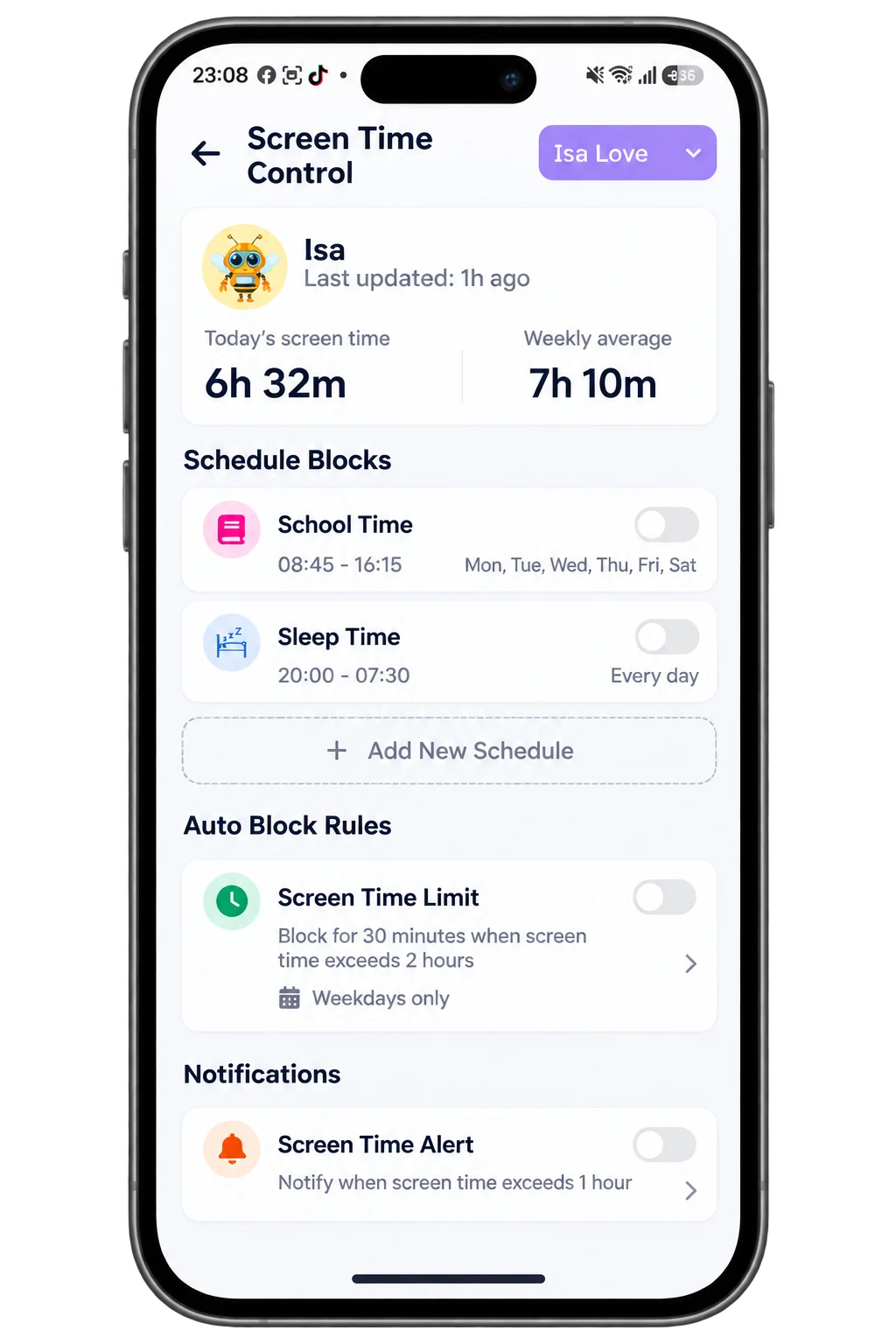
See how much screen time your child is using and manage the routines and limits that matter to your family — all from KeepOn Guardian.
Screen-time controls are only one part of the picture. KeepOn brings together tools that help families create a safer, more balanced digital experience.
Explore KeepOn featuresKeepOn Guardian gives parents visibility into screen-time usage and lets them configure schedules, limits and related controls for the child's device.
Yes. You can create scheduled blocks for routines such as School Time and Sleep Time and configure the times that suit your family.
Parents can configure automatic blocking rules based on screen-time limits, helping enforce the boundaries they choose.
Yes. KeepOn Guardian can show screen-time information such as today's usage and a weekly average.
Bring screen-time limits, schedules, online safety and app controls together with KeepOn.